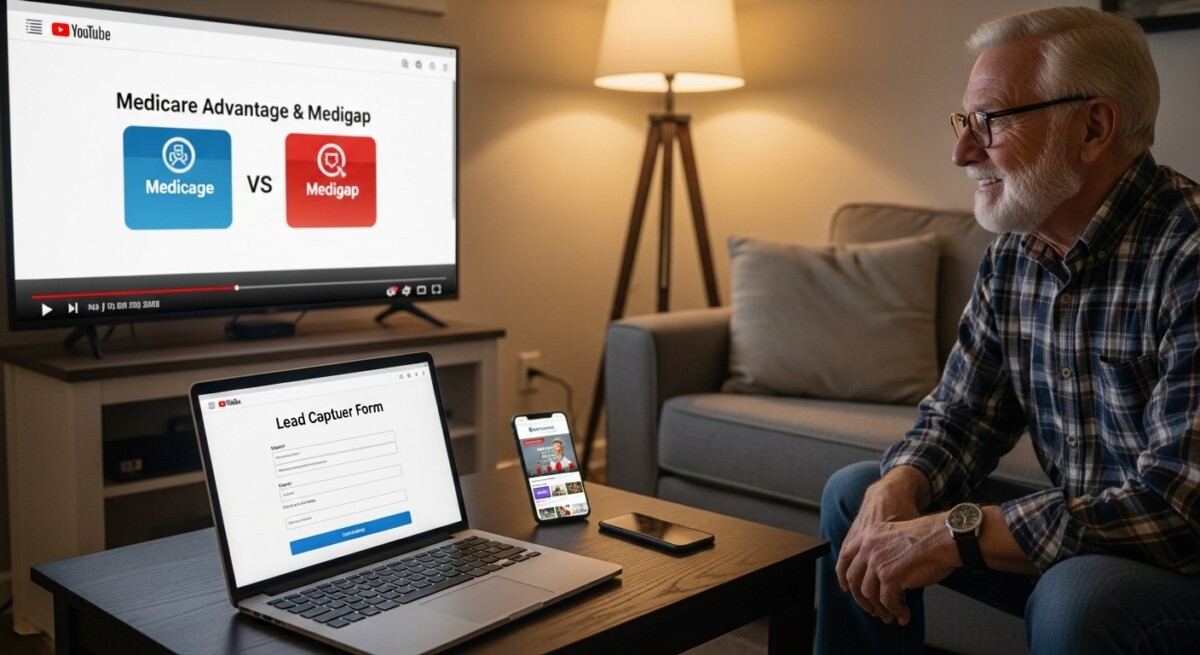
Medicare agents and agencies are constantly searching for cost-effective ways to reach seniors who are actively shopping for coverage. While traditional methods like direct mail and cold calling still have a place, the digital shift has made video advertising one of the most powerful tools in the industry. YouTube, as the second-largest search engine in the world, offers a unique opportunity to connect with potential clients where they already spend a significant amount of their time. When executed correctly, Medicare leads from YouTube ads can deliver a steady stream of high-intent prospects without the high cost per lead associated with other channels.
The key is understanding that YouTube is not just a television replacement. It is a search-driven platform where users actively look for answers to specific questions. A senior researching the difference between Medicare Advantage and Medigap will often turn to YouTube for explainer videos, testimonials, and step-by-step guides. By placing targeted ads in front of these users, you can capture their attention at the exact moment they are making a decision. This article walks through the entire process, from campaign setup to compliance, so you can start generating qualified leads that convert into policies.
Why YouTube Ads Work for Medicare Lead Generation
YouTube’s audience demographics are surprisingly favorable for Medicare marketing. According to recent data, users aged 55 and older are the fastest-growing segment on the platform, with millions watching health and insurance content each month. This audience is not just passive viewers. They are actively researching their options, comparing plans, and looking for trustworthy guidance. When your ad appears as a solution to their query, it builds immediate credibility.
Another reason YouTube outperforms many other digital channels is the format itself. Video allows you to establish rapport and authority in a way that text or static images cannot. A well-produced 60-second ad can convey your expertise, your personality, and the value of your services far more effectively than a landing page or a banner ad. Seniors who watch your video are more likely to remember your brand and take the next step, whether that means clicking through to your website or calling your office directly.
Finally, YouTube’s targeting capabilities are incredibly precise. You can target users by age, location, interests, and even the specific videos they are watching. This means you can show your ad only to people who are likely to need Medicare coverage, such as those turning 65 or those who have recently searched for retirement planning content. The result is a lower waste of ad spend and a higher return on investment.
Setting Up Your YouTube Ad Campaign for Medicare Leads
Choose the Right Campaign Type
Google Ads offers several campaign types for YouTube, but not all are suitable for lead generation. For Medicare, the most effective options are Video Action campaigns and Discovery campaigns. Video Action campaigns are designed to drive conversions, such as form submissions or phone calls, by showing your ad to users who are most likely to take action. Discovery campaigns appear on YouTube’s home feed, the Watch Next panel, and within Gmail, making them ideal for reaching users who are browsing content related to health insurance.
When setting up your campaign, select the goal of “Leads” rather than “Brand Awareness” or “Traffic.” This tells Google’s algorithm to optimize for people who are likely to fill out a lead form or call your number. You will also need to install conversion tracking on your website or use a call tracking number to measure results accurately.
Define Your Target Audience
Broad targeting on YouTube can burn through your budget quickly without delivering quality leads. Instead, narrow your audience using the following criteria:
- Demographics: Target users aged 60 to 75. This captures the majority of people entering Medicare and those already on it who may be considering a switch.
- Interests: Select affinity audiences related to health insurance, retirement planning, and senior living. You can also target in-market audiences for Medicare Supplement or Medicare Advantage plans.
- Custom Segments: Create a custom segment based on keywords such as “Medicare enrollment,” “Medigap plans,” or “Part D coverage.” This shows your ad to users who have recently searched for these terms on YouTube or Google.
- Placements: Choose specific YouTube channels or videos that cover Medicare topics. For example, you can place your ad on videos from reputable insurance educators or government benefit channels.
Once your audience is defined, set a reasonable daily budget. Start with $30 to $50 per day and monitor performance for at least two weeks before making adjustments. This gives the algorithm enough data to learn which viewers are most likely to convert.
Crafting a High-Converting Video Ad
The success of your Medicare leads from YouTube ads depends largely on the quality of your video content. A poorly produced or confusing ad will drive viewers away, while a clear, empathetic, and informative video will encourage clicks and calls. Here are the essential elements of a high-converting video ad:
Hook within the first five seconds. Your opening must grab attention immediately. Start with a statement like “Are you turning 65 and confused about Medicare?” or “Thousands of seniors overpay for their health insurance every year. Here is how to avoid that.” This directly addresses the viewer’s pain point and makes them want to keep watching.
Solve a specific problem. Do not try to cover every aspect of Medicare in one ad. Focus on one common issue, such as understanding the difference between Medicare Advantage and Medigap, or how to avoid late enrollment penalties. Provide clear, actionable advice that demonstrates your expertise.
Include a clear call to action. Tell the viewer exactly what to do next. Phrases like “Click the link below to get a free personalized quote” or “Call us at 510-663-7016 to speak with a licensed agent today” work well. Make sure your phone number and landing page URL are displayed on the screen throughout the last 10 seconds of the video.
Keep it short. For paid ads, aim for 30 to 60 seconds. Longer videos can be effective for organic content, but paid ads need to respect the viewer’s time. If you have more to say, create a series of short ads that each tackle a different aspect of Medicare.
Landing Pages and Lead Capture
Your YouTube ad is only half the equation. Once a viewer clicks through, they need to land on a page that continues the conversation. A generic homepage will not convert well. Instead, create a dedicated landing page that mirrors the message from your video. If your ad discussed Medigap Plan G, the landing page should focus exclusively on Medigap Plan G, with a simple form to request more information.
The form should ask for only essential information: name, phone number, email, and date of birth. Do not ask for too many details upfront, as this can reduce conversion rates. Once the lead submits the form, send an automated confirmation email and follow up with a phone call within five minutes. Speed to lead is critical in Medicare sales. Studies show that calling a lead within the first five minutes increases the likelihood of conversion by over 100 percent.
For agents using the MedicareLeads.com platform, you can also integrate your YouTube leads directly into your existing lead management system. This allows you to track which ads are performing best and adjust your strategy accordingly. In our guide to get Medicare leads, we explain how to combine multiple lead sources for maximum results.
Compliance Considerations for Medicare Ads on YouTube
Medicare advertising is heavily regulated by the Centers for Medicare & Medicaid Services (CMS). Every ad you run must comply with CMS marketing guidelines, which include specific rules about disclaimers, fair marketing, and beneficiary protections. Failure to comply can result in fines, suspension from selling Medicare plans, or even legal action.
Here are the key compliance rules for YouTube ads:
- Disclaimers: Every ad must include a disclaimer stating that you are not affiliated with the federal government. The disclaimer should be both spoken and displayed on screen for at least three seconds.
- No misleading claims: You cannot claim to offer “all plans” or “the best plan” unless you represent every carrier in your area. Avoid superlatives like “lowest price” or “most coverage” unless you can prove them.
- Scope of appointment: If your ad invites a one-on-one meeting or call, you must follow scope of appointment rules. This means the lead must understand what products you will discuss before the conversation begins.
- Recording and consent: If you plan to record sales calls that originate from YouTube ads, you must obtain prior consent from the lead. State laws vary, so consult with a compliance expert.
To stay compliant, have every ad reviewed by a legal professional before launching. Many agents also choose to use a third-party compliance service that can pre-approve scripts and visuals. For a deeper dive into the costs and benefits of different lead types, see our article on Medicare calls vs. Medicare leads.
Budgeting and Scaling Your Campaign
One of the biggest mistakes agents make is setting a budget too high or too low. Start with a modest budget of $30 per day and run the campaign for at least 14 days. During this period, focus on collecting data rather than optimizing. Look at metrics like cost per view (CPV), click-through rate (CTR), and cost per lead (CPL). A healthy CPL for YouTube ads in the Medicare space is typically between $15 and $40, depending on your targeting and offer.
Once you have a baseline, scale gradually. Increase your daily budget by 20 percent every week if your CPL remains stable. You can also test different ad variations to see which messaging resonates best. A/B test your video hook, your call to action, and even your landing page design. Small changes can lead to significant improvements in conversion rates over time.
If you are unsure about the overall cost structure of lead generation, our understanding Medicare leads cost guide breaks down the financials of every major lead source, including YouTube ads.
Frequently Asked Questions
How long does it take to see results from Medicare YouTube ads?
Most campaigns start generating leads within the first week, but it often takes two to three weeks for the algorithm to optimize fully. Be patient and avoid making drastic changes early on.
Do I need a big budget to run YouTube ads for Medicare leads?
No. Many agents start with $20 to $30 per day and still see positive returns. The key is precise targeting and a compelling video ad. You can scale up once you have proven the concept.
Can I target people who are already on Medicare?
Yes. You can target users aged 65 and older who have shown interest in Medicare-related content. However, be careful not to target users under 65 who are not yet eligible, as this can waste your budget.
What is the best video length for a Medicare ad?
For paid ads, 30 to 60 seconds is ideal. For organic videos on your channel, 5 to 10 minutes can work well because YouTube’s algorithm favors longer watch time for organic rankings.
How do I handle leads who are not ready to buy?
Nurture them with email follow-ups and retargeting ads. You can create a custom audience of viewers who watched your video but did not convert, then show them a follow-up ad with a different offer or testimonial.
Generating Medicare leads from YouTube ads is not a get-rich-quick strategy. It requires thoughtful planning, quality creative, and consistent optimization. But for agents who are willing to invest the time, the rewards are substantial. You gain a direct line to seniors who are actively looking for help, and you build a scalable system that can grow your agency month after month.
Start by defining your target audience, then create a simple video that solves one specific problem. Run your first campaign on a small budget, track every conversion, and refine based on data. As you become more comfortable, expand your ad set and test new angles. The agents who master this channel will have a significant competitive advantage in the years ahead.